Why Lag Feels So Different Depending on the Situation
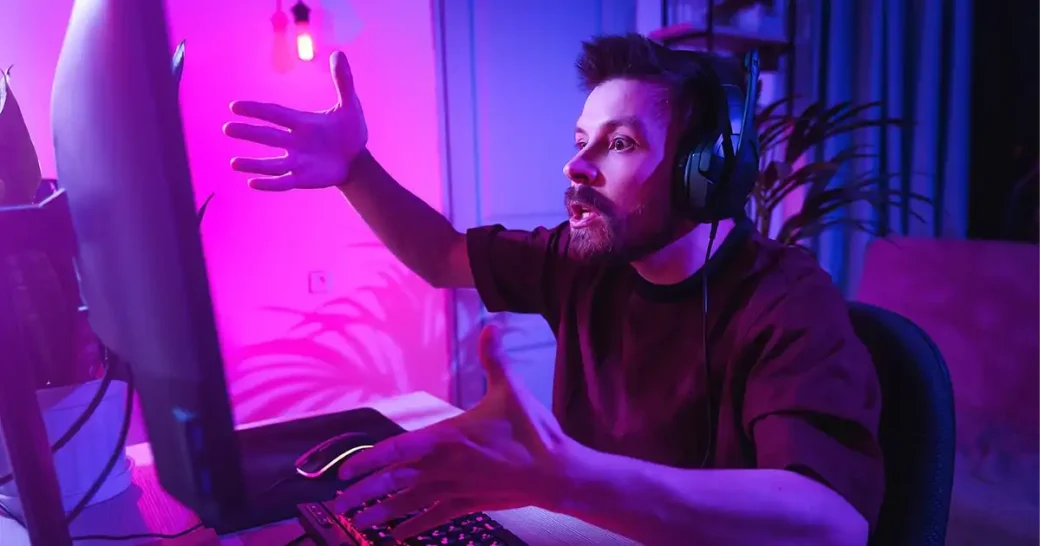
Players often talk about “lag” as if it’s one simple thing, but what they feel can come from a dozen different systems. Some describe a delay between mouse movement and on-screen response. Others feel that animation looks uneven, as if frames arrive slightly out of rhythm. And in online games, lag can come from servers, not hardware, yet it’s still perceived as “my PC is stuttering.”
The challenge is that our brains are extremely sensitive to inconsistencies in motion and timing. A game can render at a high frame rate but still feel bad if the frames aren’t delivered evenly — a problem known as frame pacing. Similarly, a powerful graphics card won’t fix input latency caused by slow polling, display response time, or synchronization settings like V-Sync.
Understanding lag starts with recognizing that the problem rarely comes from a single cause. Modern games rely on many interconnected systems: engine logic, asset loading, CPU scheduling, GPU rendering, display processing, and sometimes network communication. If even one of these runs out of sync, the entire experience feels worse, even on high-end machines.
Lag is not one issue — it’s a combination of delays across hardware, software, display, and, in online titles, network infrastructure.
How Game Engines Create Frames — and Where Delays Appear
Every modern game engine follows a pipeline: read the player’s input, run game logic, simulate physics, handle AI, prepare the scene, then render it. Even on fast CPUs and GPUs, this chain can become overloaded. Large open-world titles, for example, may bottleneck at the CPU stage long before the GPU reaches its limits. That means the system waits for one core to finish tasks such as enemy pathfinding or world streaming — causing visible micro-stutter.
Some engines are more optimized than others. Unreal Engine 4, for instance, has historically shown uneven frame pacing on certain systems due to how its render thread and game thread synchronize. Unity games can show stutter if asset streaming isn’t carefully tuned. These aren’t user errors; they are architectural constraints that developers continuously try to improve.
Another culprit is shader compilation. Recent PC releases sometimes compile shaders during gameplay, causing momentary freezes when encountering a new effect or animation. Developers increasingly pre-compile shaders to mitigate this issue, but it remains a known cause of inconsistent performance in some titles.
Why Powerful Hardware Doesn’t Guarantee Smoothness
A system with a fast GPU can still struggle if other components become bottlenecks. Modern games rely heavily on the CPU to feed data to the graphics card. If a game needs many small draw calls — typical in complex scenes with lots of objects — even high-end GPUs can sit idle waiting for the CPU to catch up.
Then there’s storage. Large games frequently stream textures, audio, or map data in real time. Slow or fragmented storage — especially older SSDs — can produce tiny delays. These delays don’t always appear as obvious “loading,” but they create hitching that players perceive as lag.
Drivers also play a role. GPU driver updates often include performance fixes for individual titles because certain API calls or memory management patterns weren’t optimal until patched. When new games release, players may see sub-optimal performance until drivers catch up. This isn’t a hardware limitation; it’s a software coordination issue.
How Displays and Frame Pacing Can Create a Laggy Feel
Even when your PC produces perfectly smooth frames, your display can disrupt the experience. Standard monitors add processing delays — sometimes only a few milliseconds, but enough to affect gameplay feel. High-refresh-rate monitors reduce latency, but they also reveal inconsistencies in frame pacing that were previously hidden.
Another source of perceived lag is synchronization technology. V-Sync prevents screen tearing but can double input latency when the GPU misses a refresh window. G-Sync and FreeSync improve this, but if the framerate falls outside their supported range, stutter can still appear.

Display response time also matters. A monitor may advertise a 1 ms pixel response, but real-world measurements often show significantly higher transition times. This leads to motion blur and ghosting, which players interpret as “sluggishness” even though the PC itself performs well.
A fast PC cannot compensate for slow display electronics or uneven frame delivery. Smooth motion requires the entire chain — PC, cable, and monitor — to stay in sync.
Why Online Games Feel Laggy Even With Great PCs
Online games add another entire layer: network latency. Even with excellent local hardware, delays between client and server influence how responsive the game feels. Fast-paced titles like Counter-Strike 2 or Valorant rely on low latency and high server tick rates. When servers run at lower tick rates or use aggressive interpolation, players feel input delay even though their PC is performing perfectly.
Routing also matters. ISPs may route traffic inefficiently, adding unnecessary milliseconds. Tools like traceroute can show unusual detours, but players cannot directly modify the route. Game developers sometimes partner with private network providers to stabilize connections, but availability varies across regions.
Packet loss, jitter, or temporary congestion introduce stuttering that can mimic graphical lag. From the player’s perspective, everything feels delayed — even though the hardware is fine. This is one of the most common causes of “lag” complaints in online games.
How Operating Systems and Background Apps Add Hidden Latency
Even well-optimized systems can accumulate invisible delays from background processes. Windows, for example, may perform scheduled maintenance, indexing, or driver-level optimizations in the background. Overlay software — Discord, GeForce Experience, Steam — injects additional layers into games and can increase latency.
USB polling also influences responsiveness. Low-quality peripherals or poorly configured polling rates introduce input delay that feels like game lag. Mouse and keyboard firmware, while rarely discussed, can add measurable latency across the input chain.
Finally, power management settings significantly affect game performance. Laptops or desktops in balanced or power-saving modes throttle CPU frequencies, causing micro-hitches even on strong hardware. Many users never notice these settings until they troubleshoot lag for unrelated reasons.
What Players Can Realistically Do to Reduce Lag
Fixing lag starts with identifying which type you’re dealing with: input delay, frame pacing issues, CPU bottlenecks, or network latency. Performance overlays built into tools like Steam or NVIDIA GeForce Experience help track frame times instead of just framerate, providing a more accurate picture.
Players can also update drivers, check game-specific patches, use high-quality cables, enable low-latency modes, update peripheral firmware, or switch monitors to faster response-time profiles. These adjustments don’t change the underlying architecture, but they often reduce the perception of sluggishness.
For online titles, using wired Ethernet, choosing servers with low ping, or switching ISPs can significantly improve gameplay. While players cannot control server tick rates or routing, they can minimize local packet loss and jitter.
There is no universal fix, because “lag” is not one problem. But understanding where the delays originate helps players make informed decisions — and avoid unnecessary upgrades when the hardware isn’t the real issue.